Shared sessions
Keep prompts, tool calls, outputs, and follow-ups together as work moves between desks.
Finny Cloud · Shared plane
Describe an idea, research it, build an inspectable strategy, backtest it, and move toward paper trading with the evidence and review trail intact.
Quant
Starts the research session
Trader
Reviews assumptions and execution context
PM
Questions results and approves the next step
Ops
Reads the history and closes the loop
Context is the collaboration layer
Keep prompts, tool calls, outputs, and follow-ups together as work moves between desks.
Let the right people inspect and continue the work through a browser interface.
Use the session history as the record instead of rebuilding context from screenshots and pasted logs.
Connect the harness to the systems your team has reviewed for the chosen deployment.
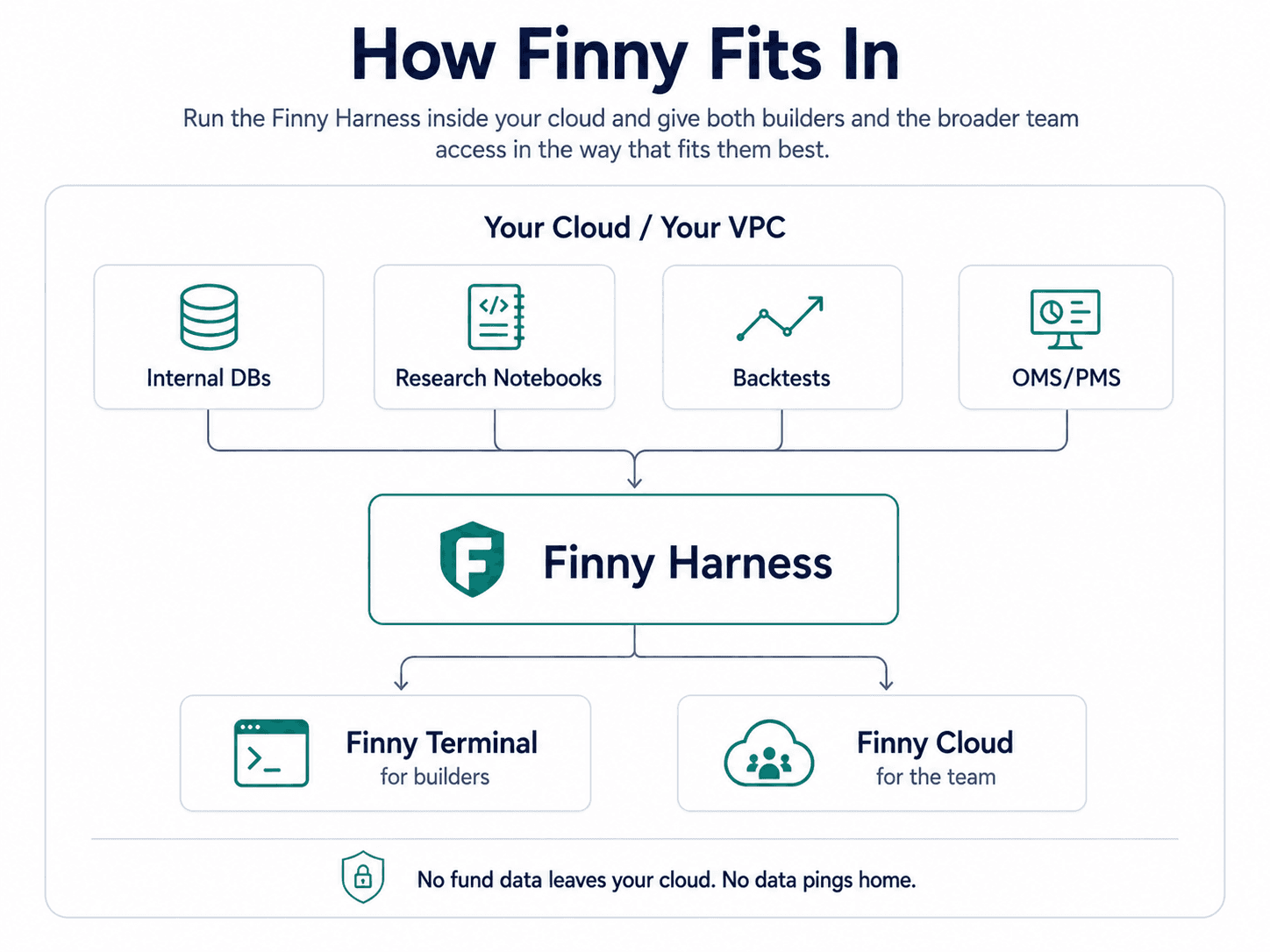
Existing and self-serve users can open Finny Cloud directly. Funds with stricter infrastructure requirements can work with us on a private deployment inside their cloud or VPC.
Private-environment claims apply to the private VPC deployment path. We scope integrations and permissions with each fund.